Allowances
Automatic deposits on a schedule you choose
What it is
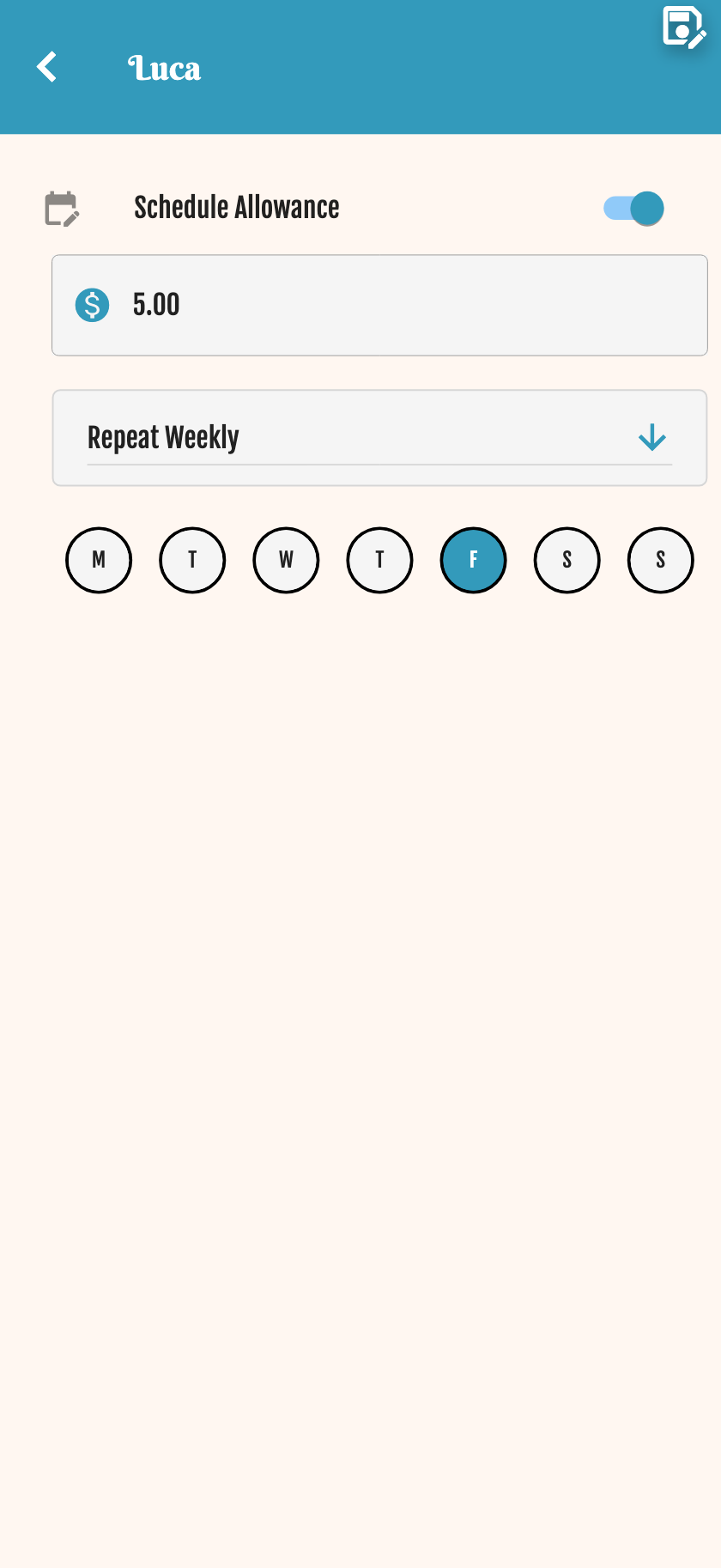
Schedule automatic coin deposits: daily, weekly, monthly or yearly. Perfect for teaching routine and predictable income.
Scheduled allowance is included in Family and Premium. It is not part of the free Starter plan.
Coins arrive on the day the parent chose — daily, weekly, monthly or yearly.
How to set it up
Pick a schedule
Daily, weekly (pick days), monthly (pick date) or yearly.
Set the amount
Example: 20 coins every Friday.
Map to real money (optional)
100 coins = $1 helps kids understand value when negotiating withdrawals.
Pause anytime
Disable the schedule — no new deposits, but existing balance stays.
Mateo's Friday allowance
Mateo receives 200 coins ($2) every Friday. Sofía is transitioning: 1 coin per day when she starts primary school. Valentina gets a monthly deposit on the 1st for bigger teen expenses.
| Type | Configuration | Example |
|---|---|---|
| Daily | Fixed amount | 1 coin/day |
| Weekly | Days + amount | Fri → 20 coins |
| Monthly | Date + amount | 1st → 50 coins |
| Yearly | Date + amount | Jan 1 → 200 coins |
FAQ
Which plan includes scheduled allowance?
Family and Premium. Starter does not include turning on a new schedule. If a wallet already has allowance enabled, it keeps running until you turn it off.
What if I disable the allowance?
No new deposits are scheduled. The current balance remains untouched. Turning it back on later requires Family.
What timezone is used?
Coins arrive on the day you chose. Pick the schedule that fits your family — there is no need to think in UTC.
Can I combine allowance with stars?
Absolutely. Allowance is the base; stars reward extra effort on top.