Starter+
Transfer coins
Send coins wallet → wallet. Own wallets on all plans; other parents via code / QR / favorites on Family & Premium.
1
Open Transfer
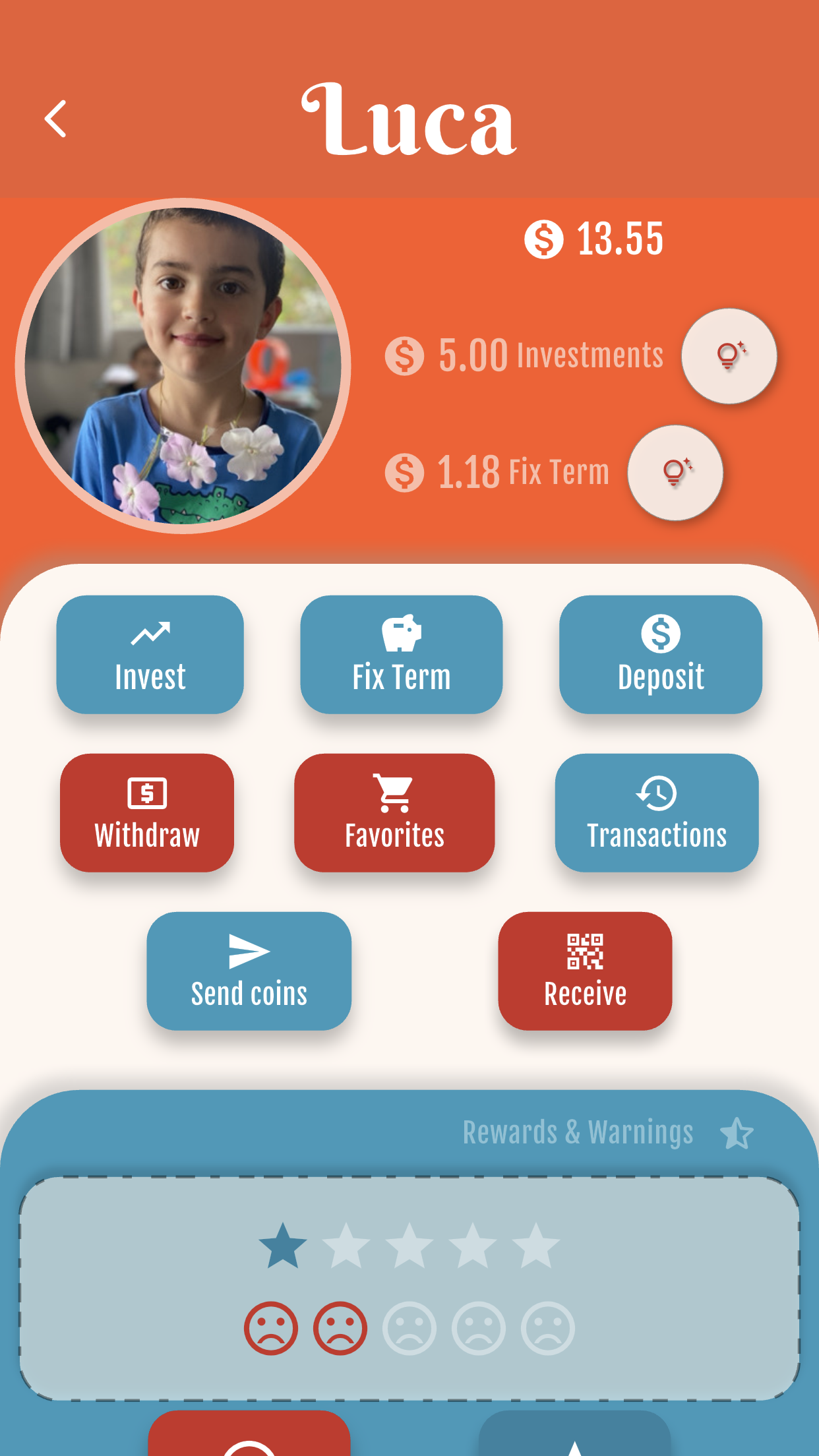
In the child’s wallet hub, open Transfer (Send / Receive). You can also use QR and favorites from here.
2
Send to your wallets
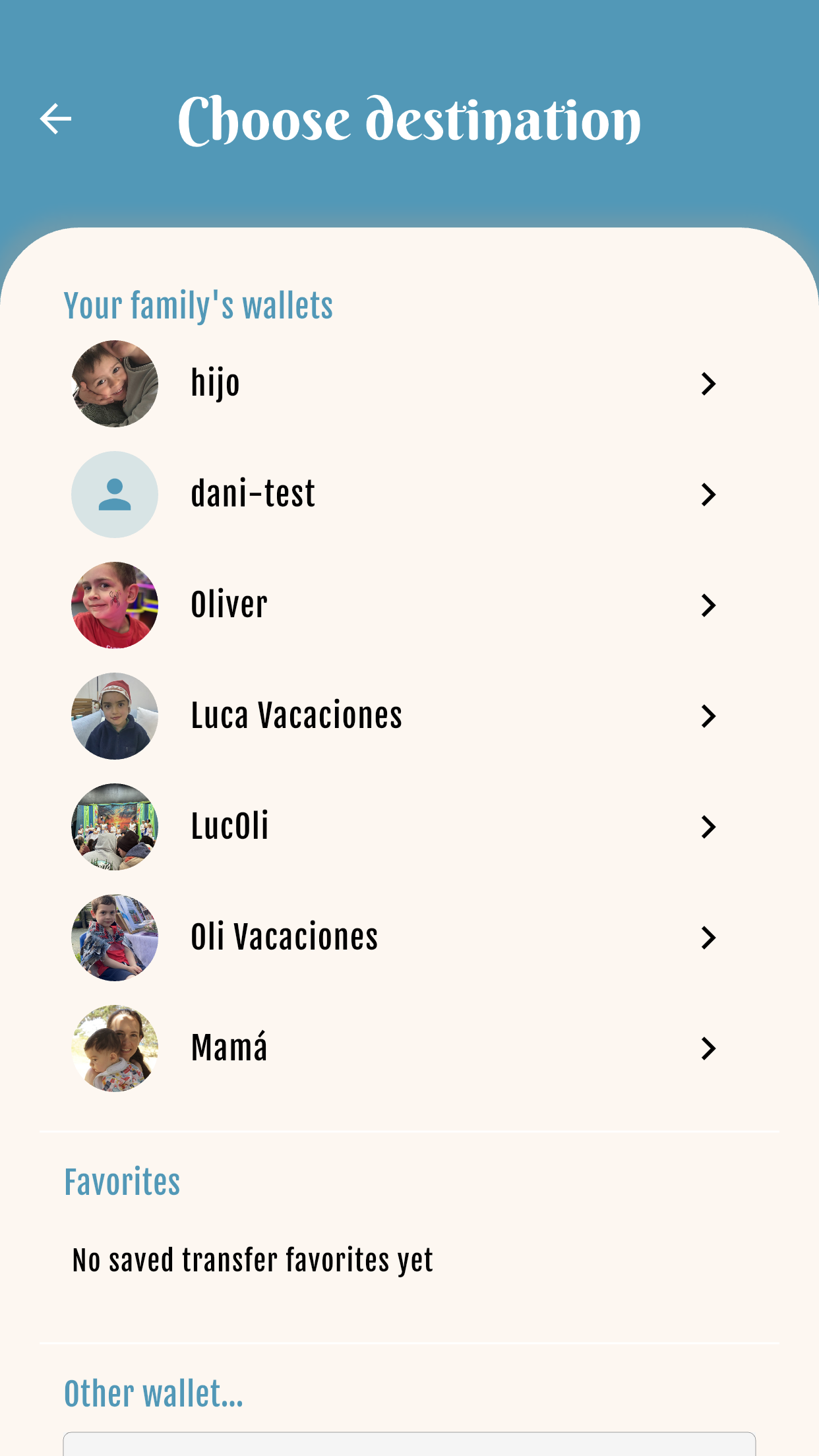
Choose another wallet under the same parent. Available on Starter, Family and Premium.
3
Confirm amount & note
Enter the coins to send, add an optional note, and confirm.

4
Receive with code or QR
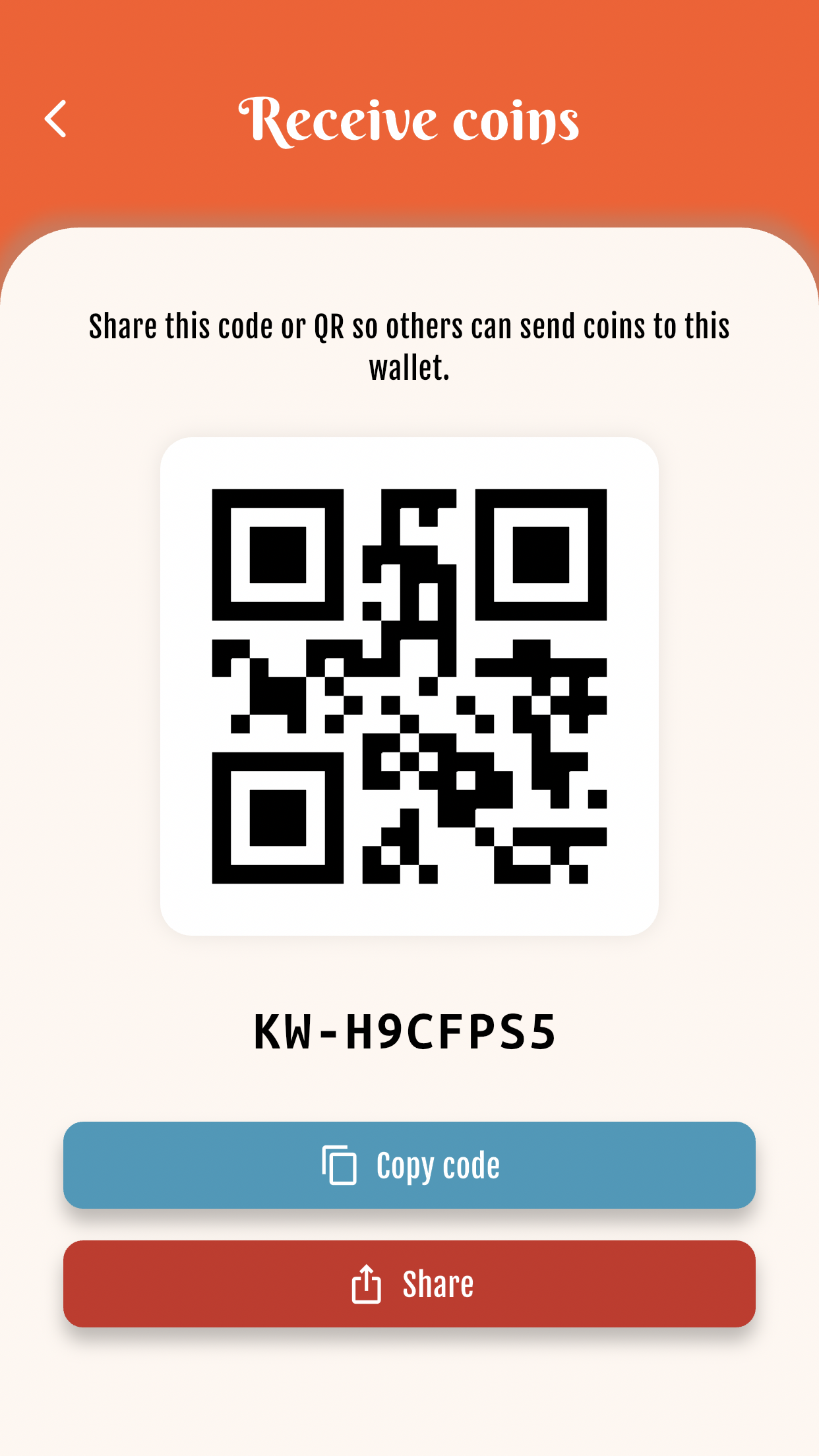
On Receive, show your transfer code or QR so someone can send coins to this wallet.
5
Send to another parent
Family and Premium: scan a QR, enter a transfer code, or pick a favorite contact to send to another family.

6
Check history
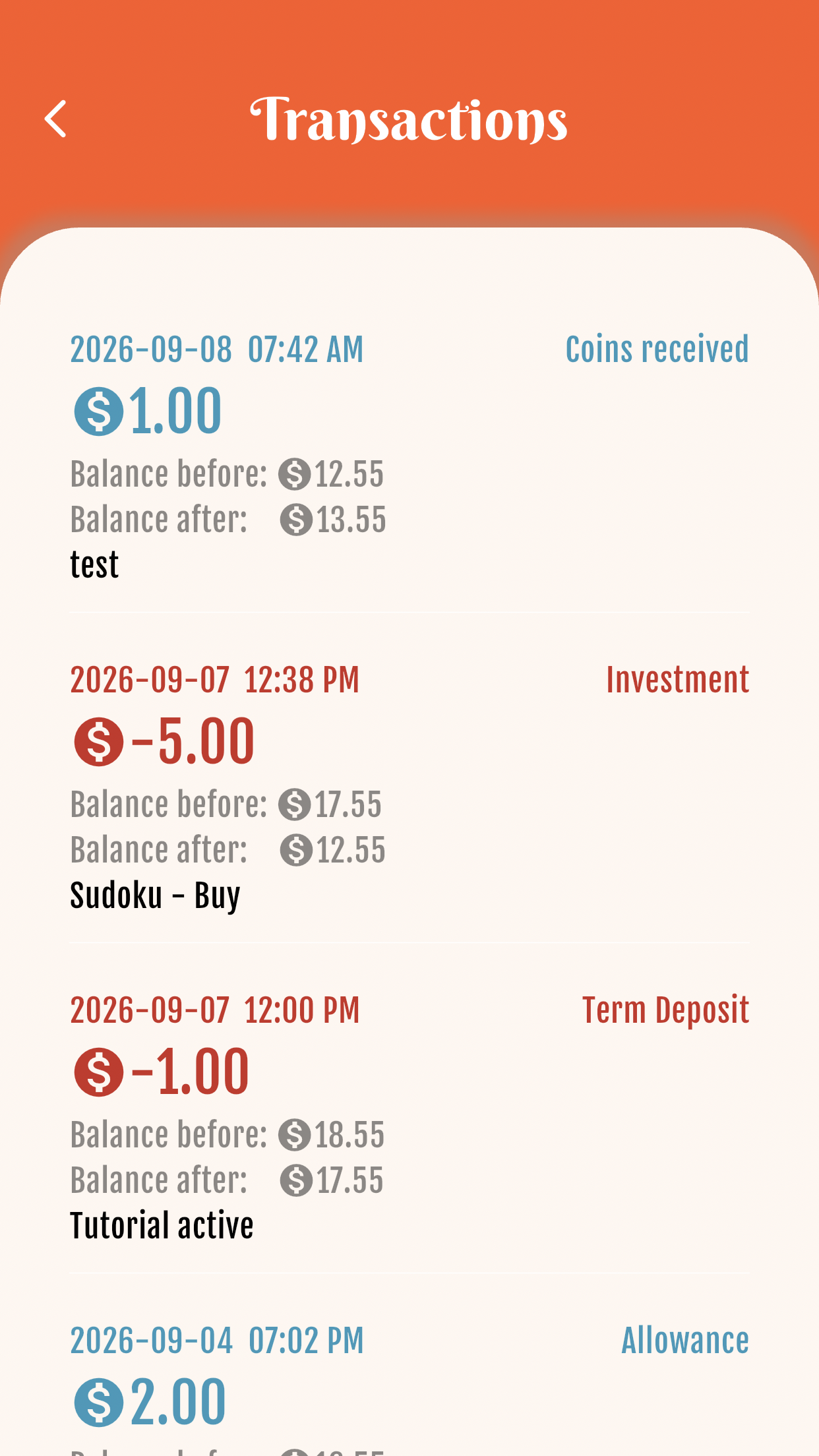
Transactions list sent and received transfers — labels like “Envío de coins” and “Coins recibidas”.
Starter free forever · Family: 7 days free, then from US$4.99/mo


Get started free