1
Investments hub
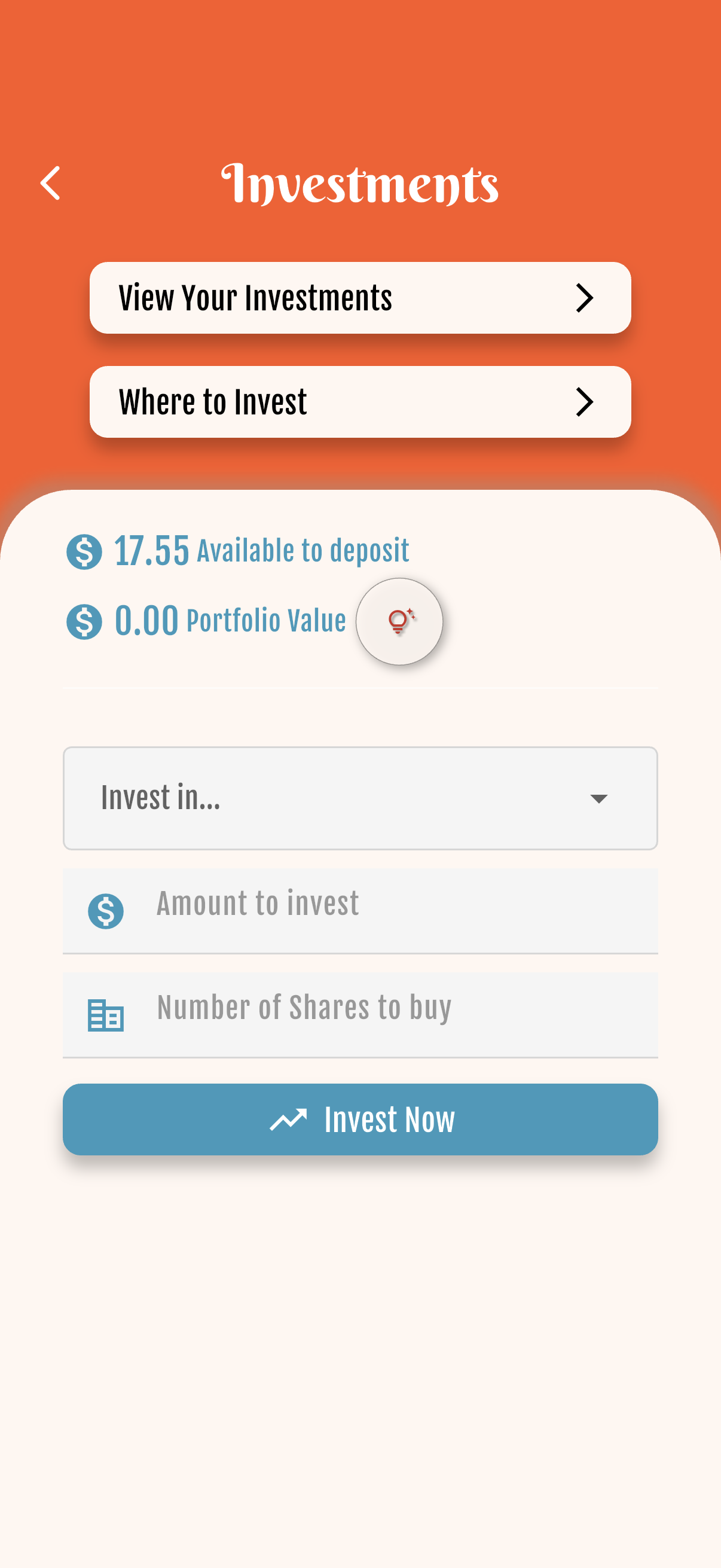
Open the child’s wallet and tap Invest. From here you can view current investments, browse where to invest, or start a new investment.
2
Asset detail & chart
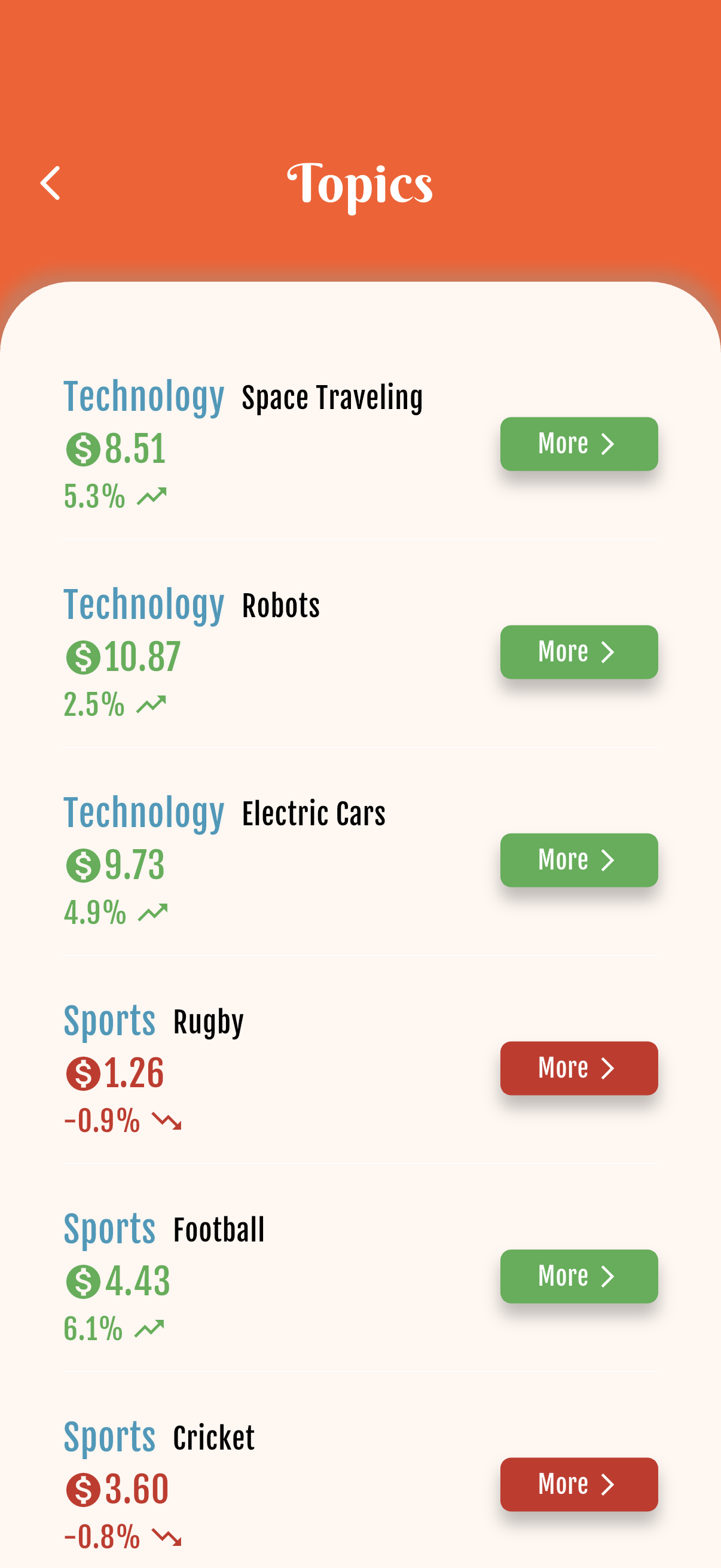
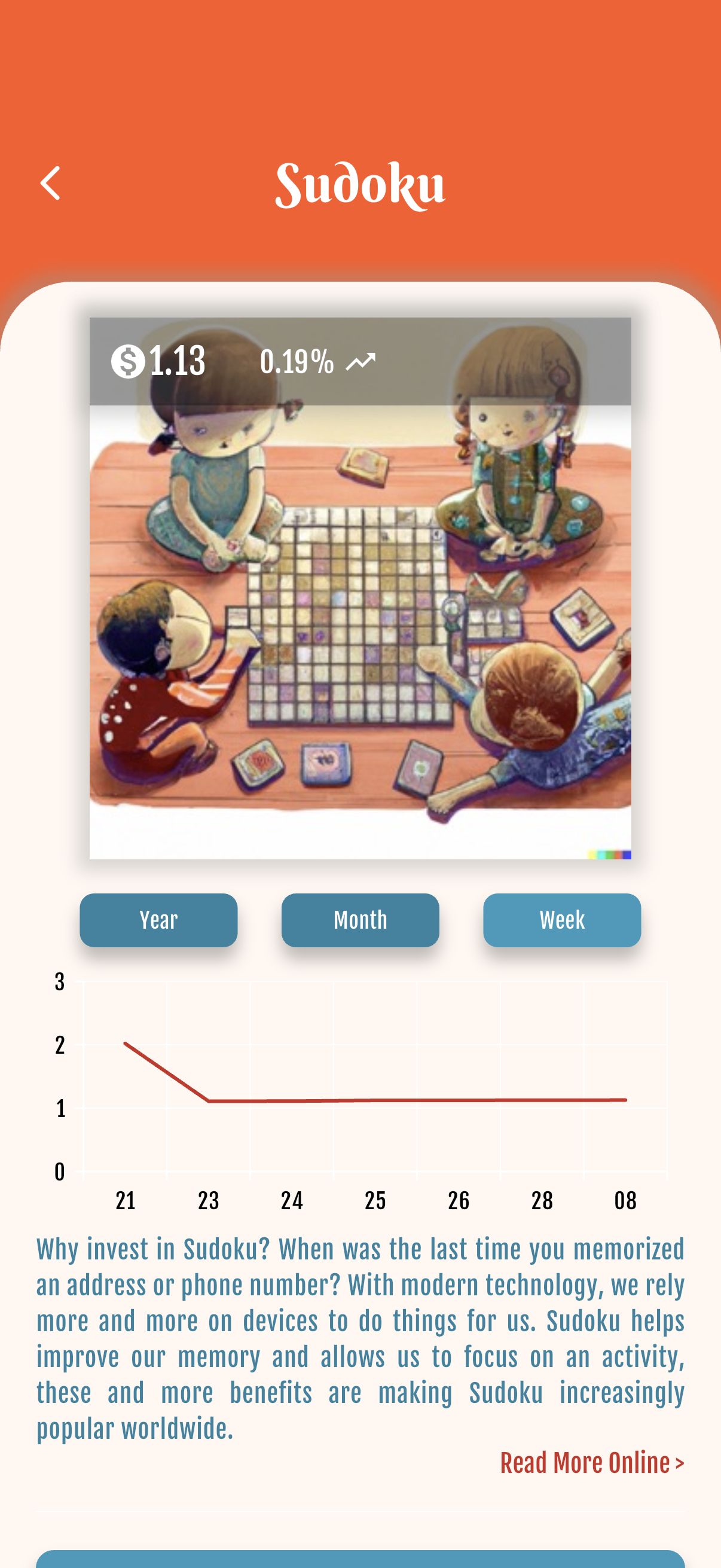
Tap Where to Invest to browse topics. Open one and tap More to see the chart and details before you invest.
3
Categories (Invest in…)
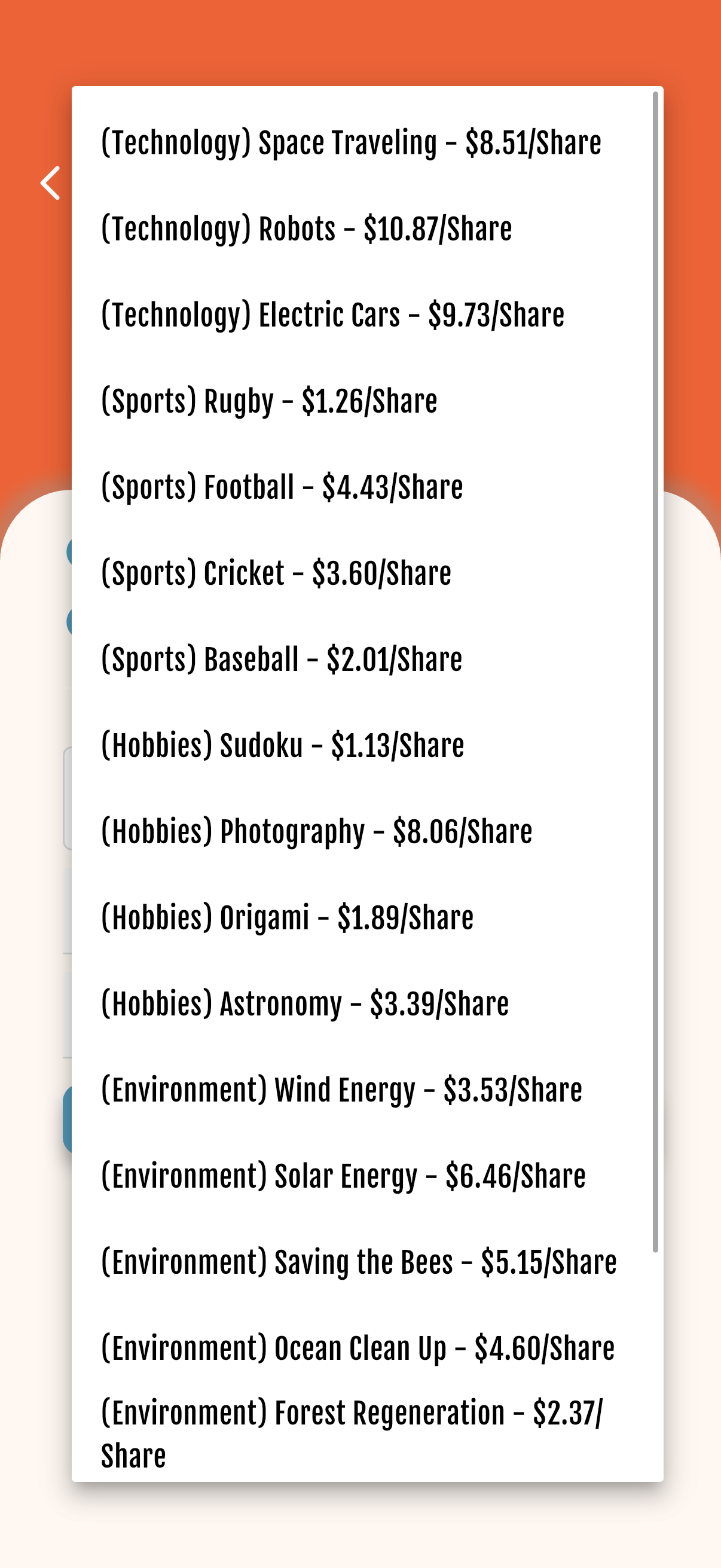
On New Investment, open Invest in… to see every topic/category you can practice with.
4
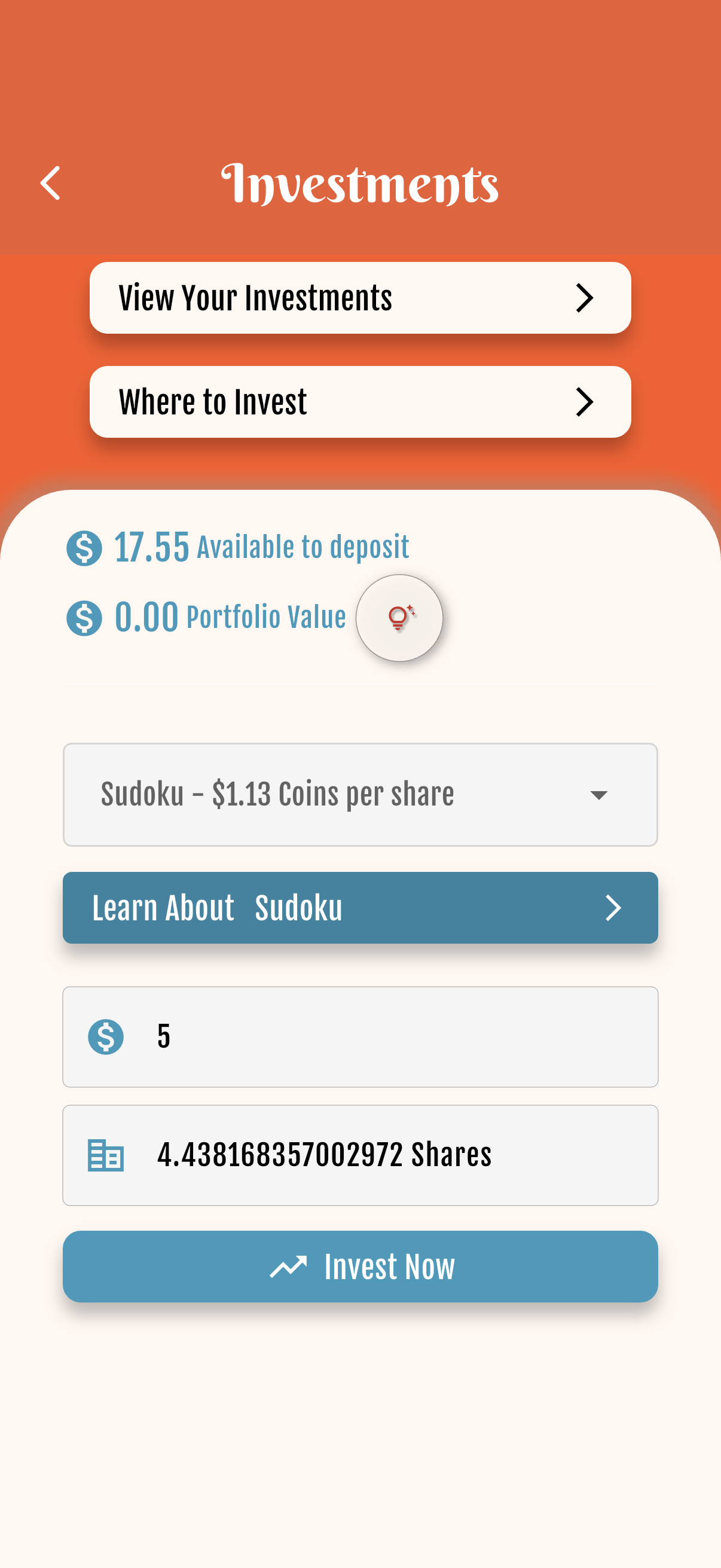
Buy with available
Choose a topic, then enter how many coins to invest or the number of shares. You can tap the available balance to fill the max.
5
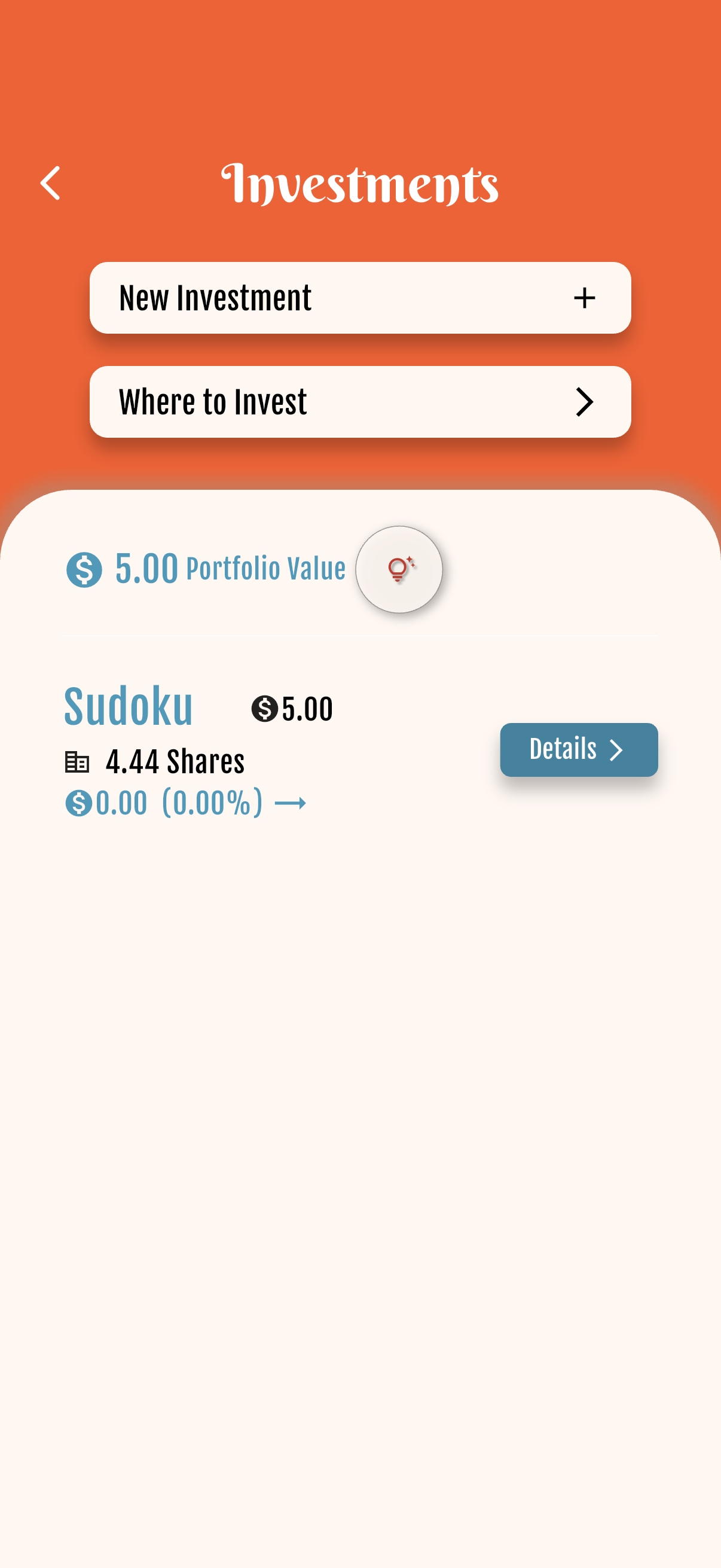
Portfolio
In the child’s wallet open Invest, then View Your Investments to see what you hold and profit or loss.
6
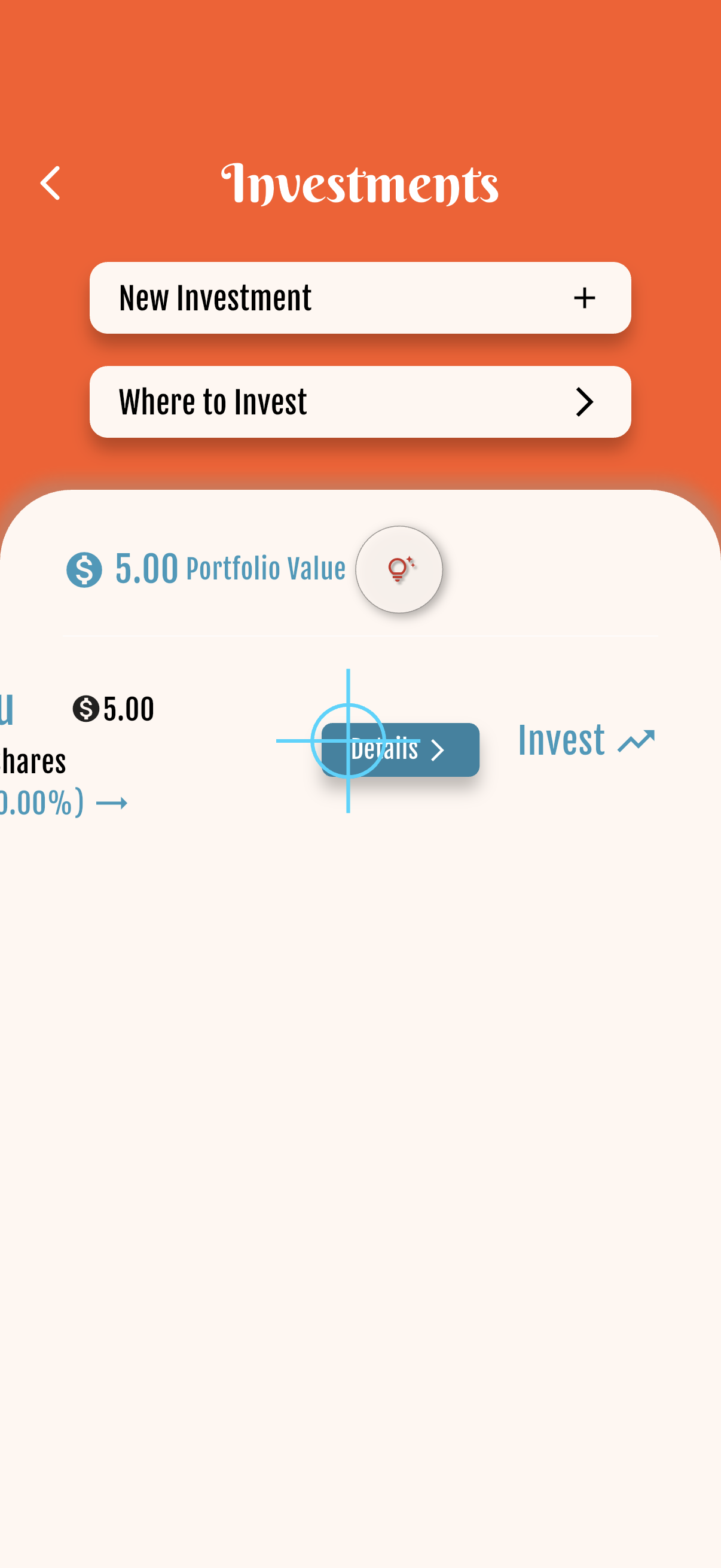
Sell / invest swipe
On a holding, swipe right to sell and left to invest more (Sell / Invest labels appear behind the row).

Starter free forever · Family: 7 days free, then from US$4.99/mo


Get started free